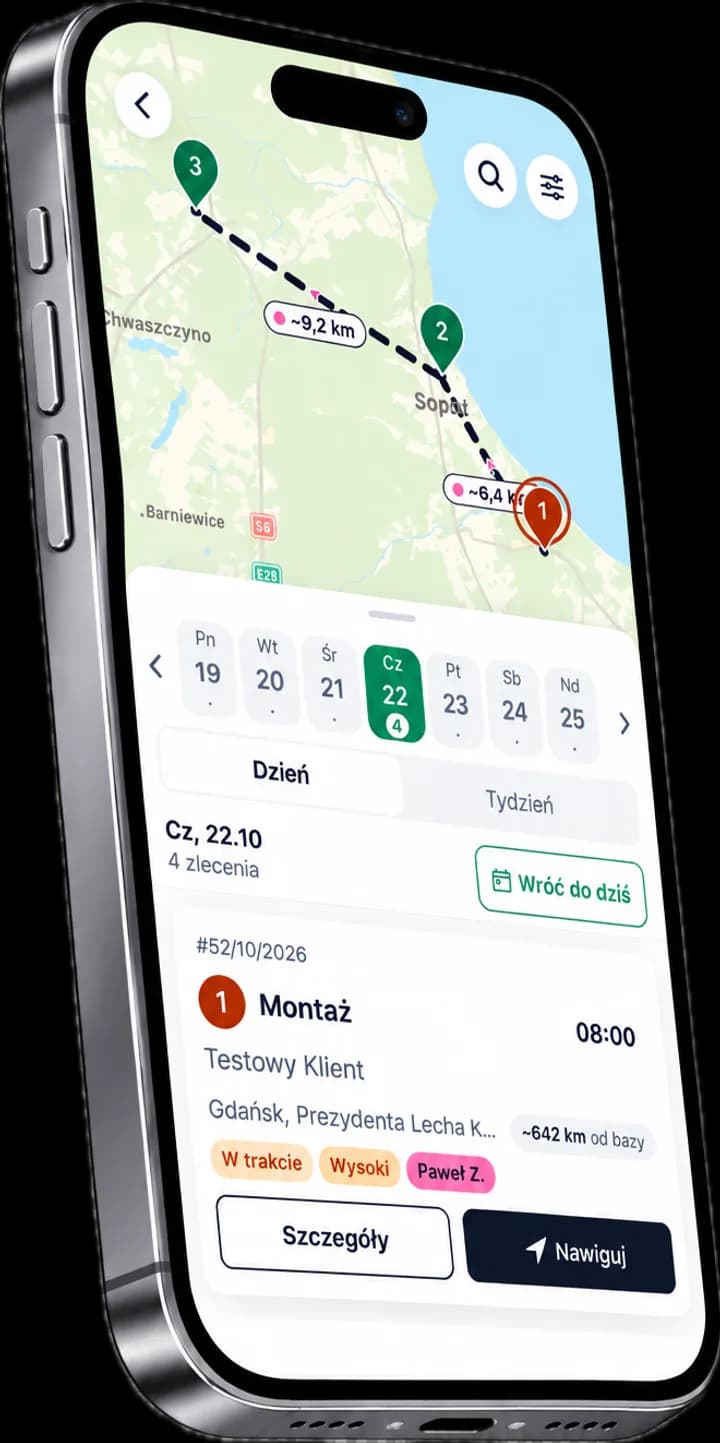
The app your technicians actually use
An app for technicians, installers and owners of service businesses: the day's plan, a route map, service reports signed by the customer, billing and working time on the phone.
ServiceKoala is a mobile app and software for technicians on Android and iPhone, built for service and installation businesses. Technicians get their day's plan and a route map with navigation to the customer, job details with the customer's contact details, and electronic service reports with photos, installation videos and the customer's signature on the phone screen. When the work is done, they bill the job in the app. They also record their working time and send leave requests. The business owner uses the same app: they create jobs of any type, assign them to employees and see the calendar and the map for the whole team. The app also works with no signal and syncs changes once the connection is back. It is complemented by the web app for the office, which uses the same data.
Mobile app features for technicians and installers
The technician's day plan
Jobs assigned for the coming days with the address, customer details, priority and scope of work.
Navigation to the customer
The job address opens navigation with the route already planned. The customer's contact details are right there in the job.
Service report on site
Photos, installation videos and the customer's signature on the phone screen. You close the report on site.
Job statuses and working time
A change of status to "In progress" or "Completed" shows in the office straight away.
Leave requests
You send a leave request in the app, and a notification on your phone tells you what the office decided. You can also see your leave balance.
Billing after the job
When the work is done, you bill the job and record the payment in the app.
Customer service history
You can see the customer's previous jobs, service reports and assets.
QR code scanner for assets
Scanning the QR code sticker opens the asset card with its service history.
Offline work with no signal
The day's plan and customer details are available offline, and changes sync once the signal is back.
An app for technicians out in the field
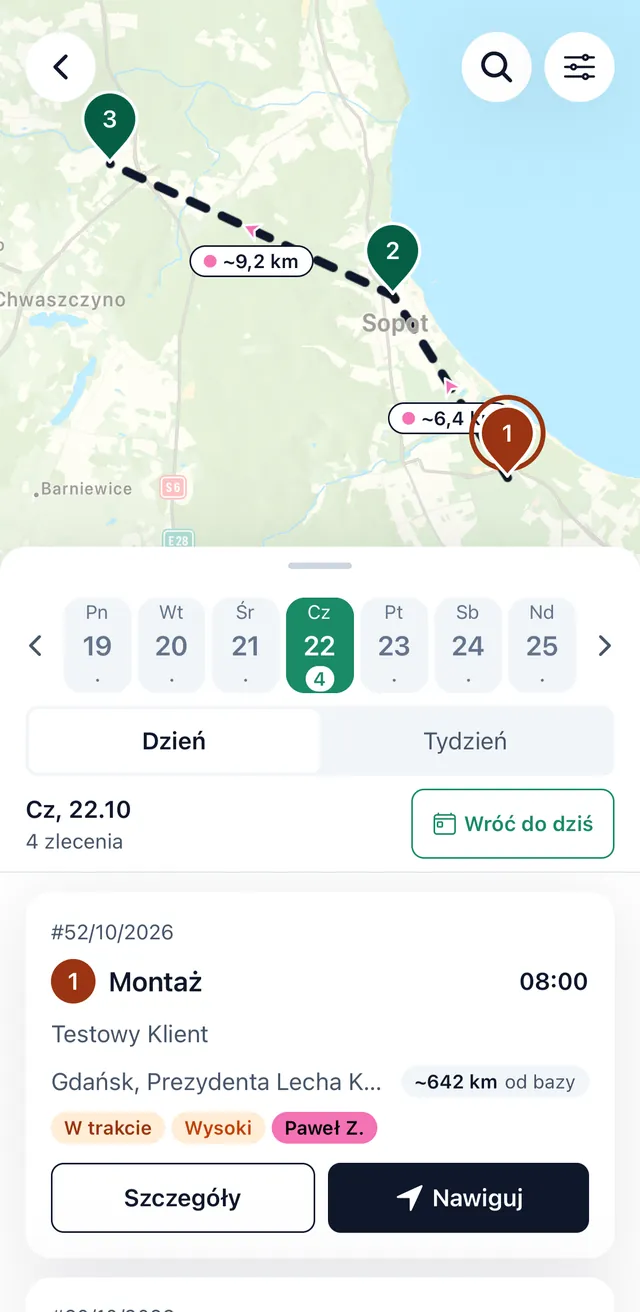
The technician's day plan and route map
The technician sees the jobs for today and this week with the time, address, priority and status. The map shows the order of visits and the distances between them, and navigation plans the route to the customer's address.
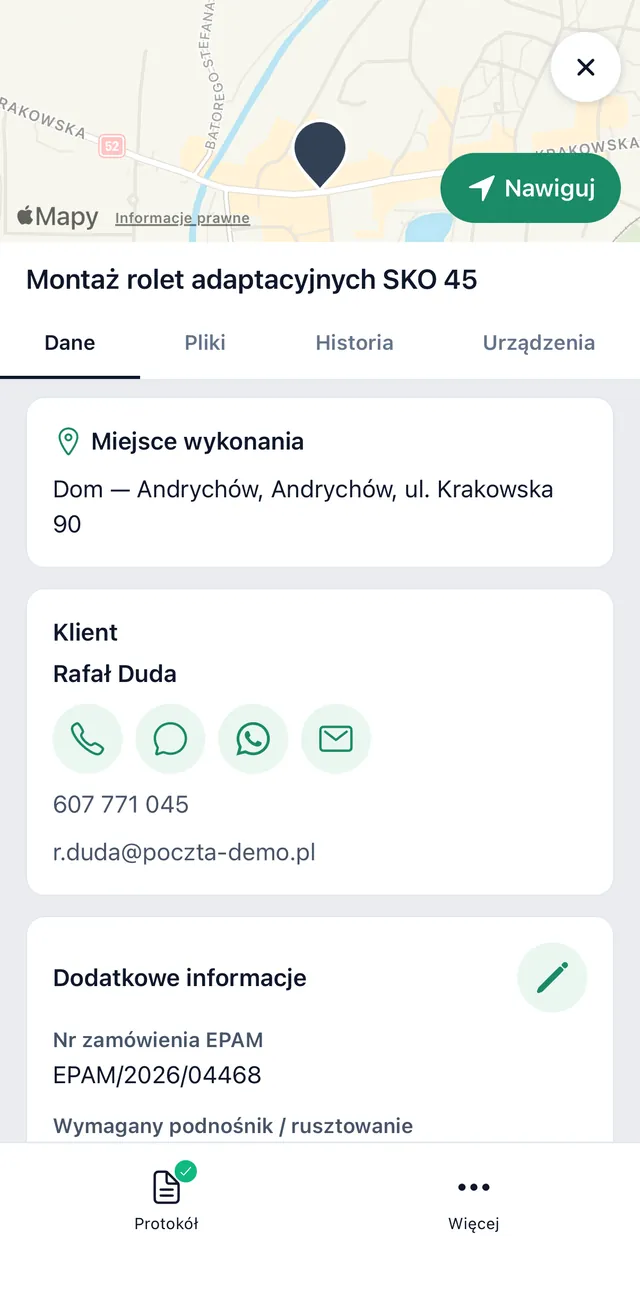
Service job details and customer contact
The job shows the site, the customer's details and extra fields, for example an order number or the equipment needed. From the job you can call the customer or send an SMS, a WhatsApp message or an email. You can also see the customer's job history and their assets.
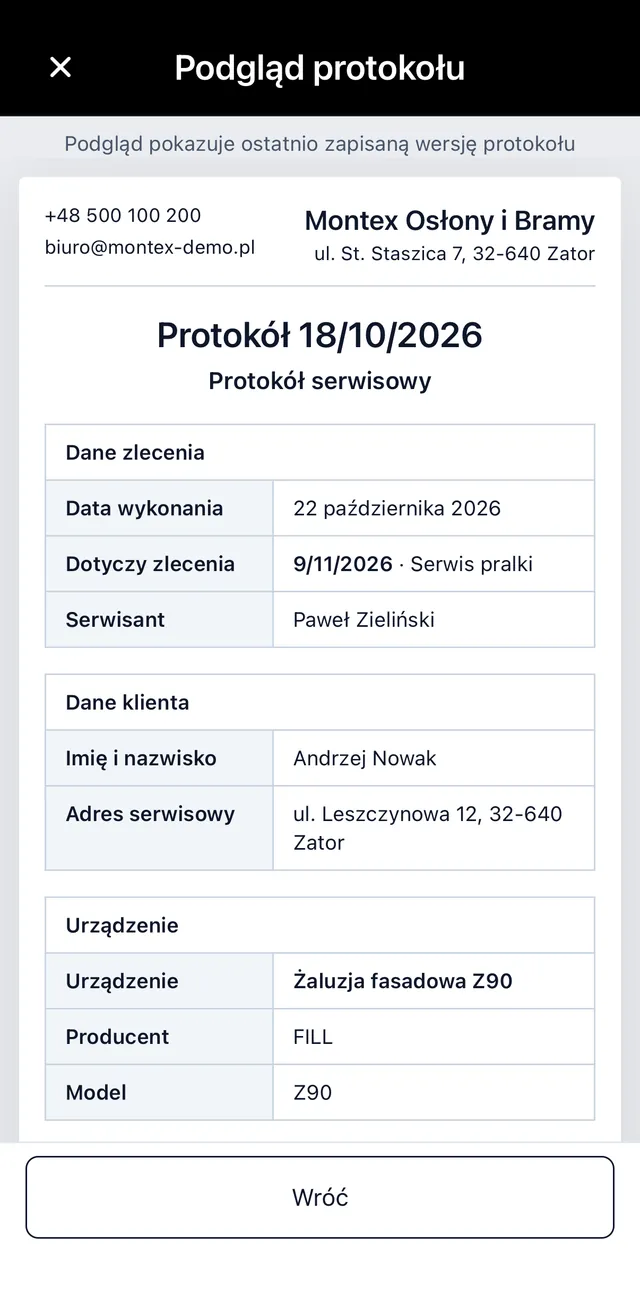
Electronic service report with photos and videos
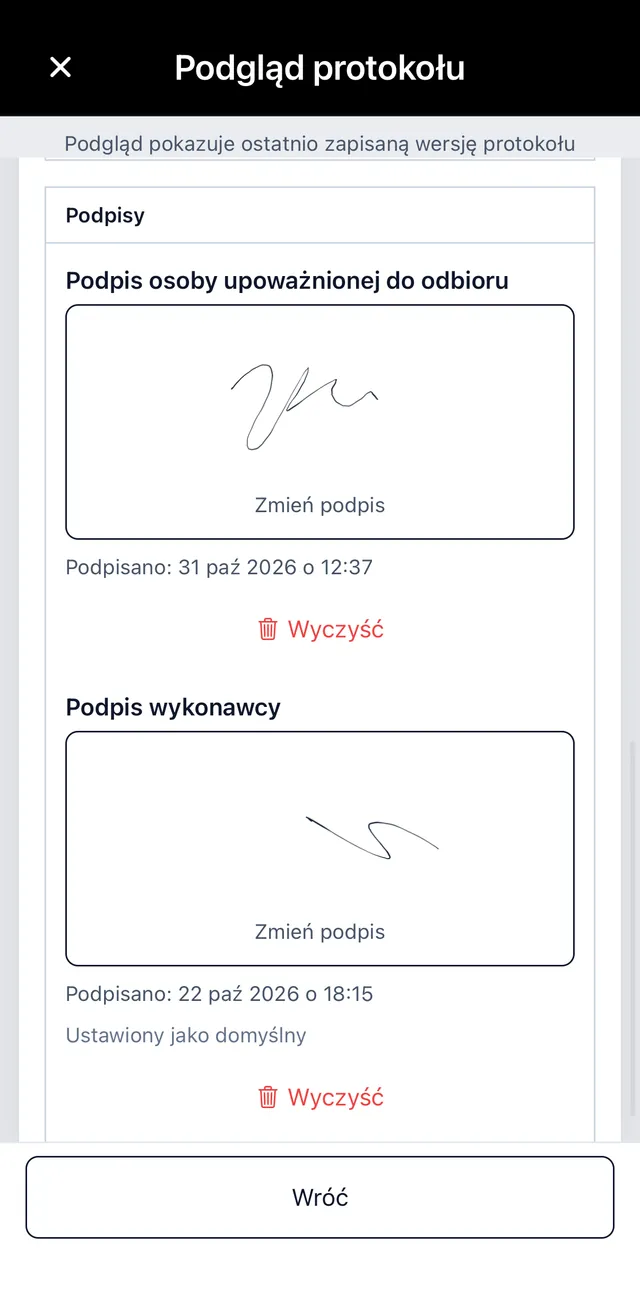
You fill in the service report, job sheet or service card on site at the customer's. You add photos and installation videos to the job and the report. The preview shows the document exactly as the customer will receive it, with the job, customer and asset details.
Customer signature on the phone, then billing
The customer signs the report on the phone screen. When the work is done, the employee bills the job and records the payment straight in the app.
Working time and leave requests for technicians
Recording working time in the app
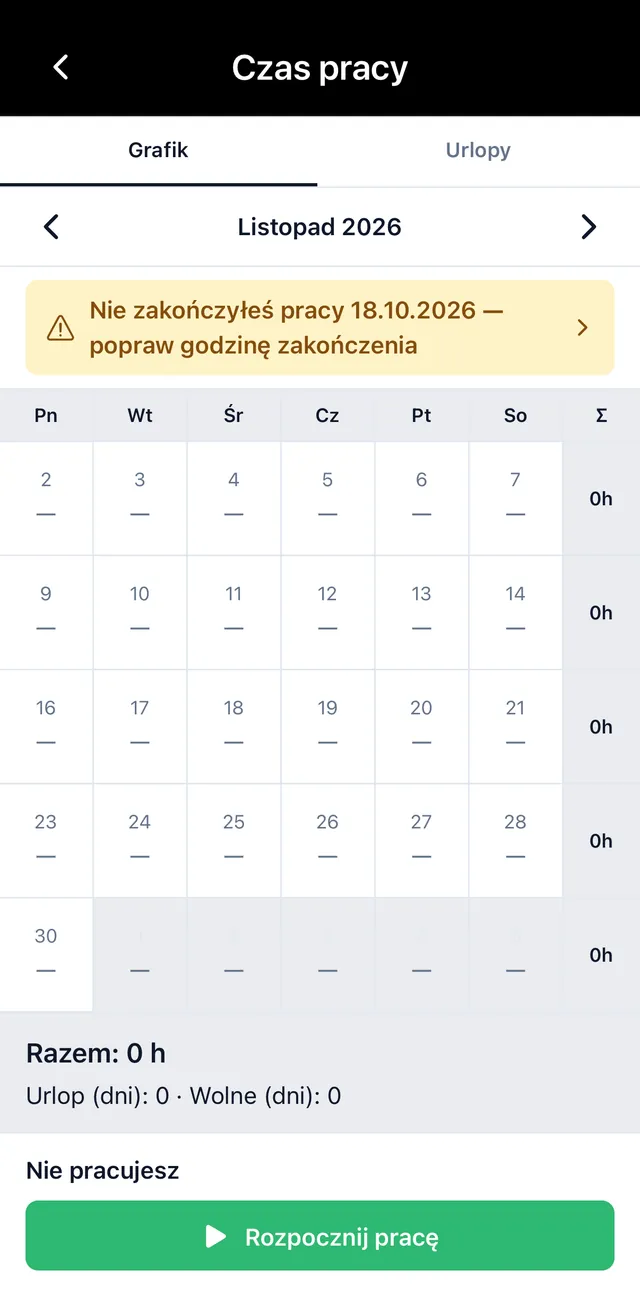
Employees clock in and clock out with one tap. They can see their schedule and the hours worked in the month, and the app reminds them about a working day they have not closed. A change of job status to "In progress" or "Completed" shows in the office straight away.
Leave requests and leave balance in the app
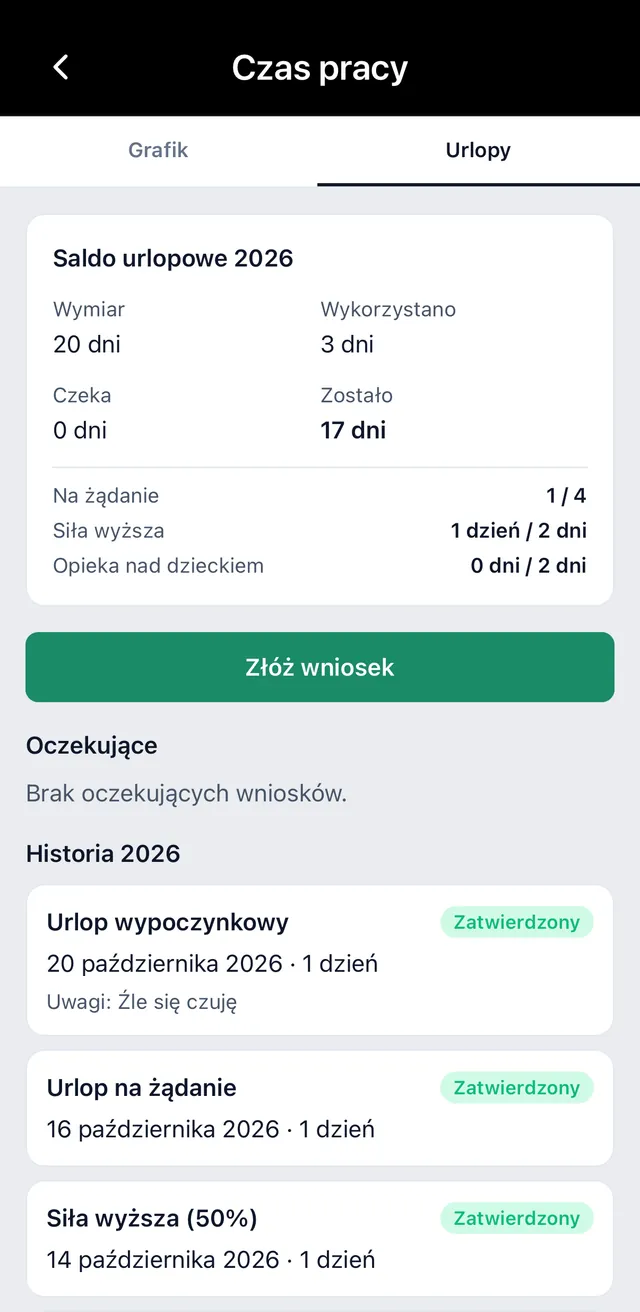
Employees send leave requests in the app and can see their balance: their allowance, the days taken and the days remaining. The office receives the request by email, and the employee finds out the decision from a notification on their phone.
A service app for the business owner too
ServiceKoala is a mobile app for service and installation businesses in which not only employees but also the owner works from the phone. It is an app for jobs and for managing your team: you create jobs, assign them and keep track of how they are going.
Create service jobs from your phone
Set up a job with the address, services and date in the mobile app, wherever you are.
Assign jobs to employees
An assigned job goes straight into the chosen employee's day plan.
Calendar and map for the whole team
You see where the team is working, which jobs are in progress and which are completed.
Any job and report types
Installation, service, maintenance, warranty claim: in the app you create every job and report type set up for your business.
Customer and asset database
The customer database and assets with their service history are available in the mobile app to the same extent as in the web app.
Billing from your phone
Bill the job in the mobile app as soon as the work is done.
How does a service job work in the app, step by step?
- 01
Notification of a new job
Once a job is assigned, the employee gets a push notification and the job appears in their day plan.
- 02
Navigation to the customer and "In progress" status
Navigation plans the route to the customer's address. On site, the technician changes the job status, and the office sees it straight away.
- 03
Asset QR code scan, photos and videos
The QR code scanner opens the asset card with its service history. The employee records the work with photos and videos.
- 04
Service report with the customer's signature
The employee fills in a report of the chosen type, and the customer signs it on the phone screen.
- 05
Billing and closing the job
The employee bills the job and closes it. All the documents go into the system.
Mobile app and web app compared
In many systems the mobile app is only for handling jobs, and the business is run from a computer. In ServiceKoala the technician app on the phone and the field service management software in the browser come in one subscription, use the same data and cover almost the same features.
| Feature | Mobile app | Web app |
|---|---|---|
| Day plan, route map and navigation to the customer | ||
| Creating and assigning jobs | ||
| Calendar for the whole team | ||
| Customer and asset database | ||
| Service reports of any type with the customer's signature | ||
| Photos and installation videos | from the phone camera | |
| Job billing | ||
| Clock in and clock out, leave requests | ||
| Approving leave requests | — | |
| QR code scanner for assets | — | |
| Push notifications about new jobs | — | |
| Working with no signal (offline) | with automatic sync | view of the most recently loaded data |
| Reports, pay and system settings | — |
What an employee can do in the mobile app depends on their role and permissions: for example, you can allow only selected people to create jobs or bill them. The feature pages go into detail: job map, service reports, job billing and time tracking, and the reports for owners are on the reports and analytics page. You will find prices on the pricing page.
Frequently asked questions about the ServiceKoala mobile app.
How do I get the ServiceKoala mobile app?
The app is free on Google Play and the App Store under the name "ServiceKoala". Employees sign in with the details from the invitation sent by the company administrator.
Which phones does the app work on: Android or iPhone?
The app works on Android phones and on iPhones. You sign in with the same account as in the web app, and the data is shared.
How is the mobile app different from the web app?
The mobile app covers jobs, the route map, service reports, billing and working time, for employees in the field and for the owner. The web app has the same features plus reports, pay, leave approval and system settings. Both use the same data in real time.
How does a technician receive a new job?
Once a job is assigned, the employee gets a push notification. The job appears in their day plan and on the route map with the address, time, customer details and list of services.
Can the business owner create jobs from the phone?
Yes. The app has a separate view for the owner and the office: creating jobs of any type, assigning them to employees, the calendar and map for the whole team, and managing customers and assets.
Can I add videos to a report, not just photos?
Yes. As well as photos, the employee can add installation videos to the job. The customer signs the report on the phone screen, and the document is in the system as soon as it is saved.
Can an employee invoice from the phone?
Employees with the right permission bill the job and record the payment in the app as soon as the work is done. For invoices, we offer an integration with the invoicing and accounting tools your business already uses, provided the tool makes it possible (has an API).
How does an employee send a leave request in the app?
The employee sends the request in the app, choosing the type of absence and the dates, and can see their leave balance. The office receives the request by email, and once it has been decided the employee gets a notification on their phone. Approved leave goes into the schedule.
Does the app work offline, with no signal?
Yes. The app works offline: it keeps the most recently loaded data, so the day plan, addresses and customer contact details are available without internet. Reports and photos can be created offline, and changes sync automatically once the signal is back.
See ServiceKoala with examples from your industry.
30 minutes online. We will show you how ServiceKoala runs the job process in a business like yours and answer your questions.
14-day free trial · no card required