Digital service reports signed on site
Your technician fills in the digital service report in the mobile app, adds photos and gets the customer to sign on site. The customer receives the report by email.
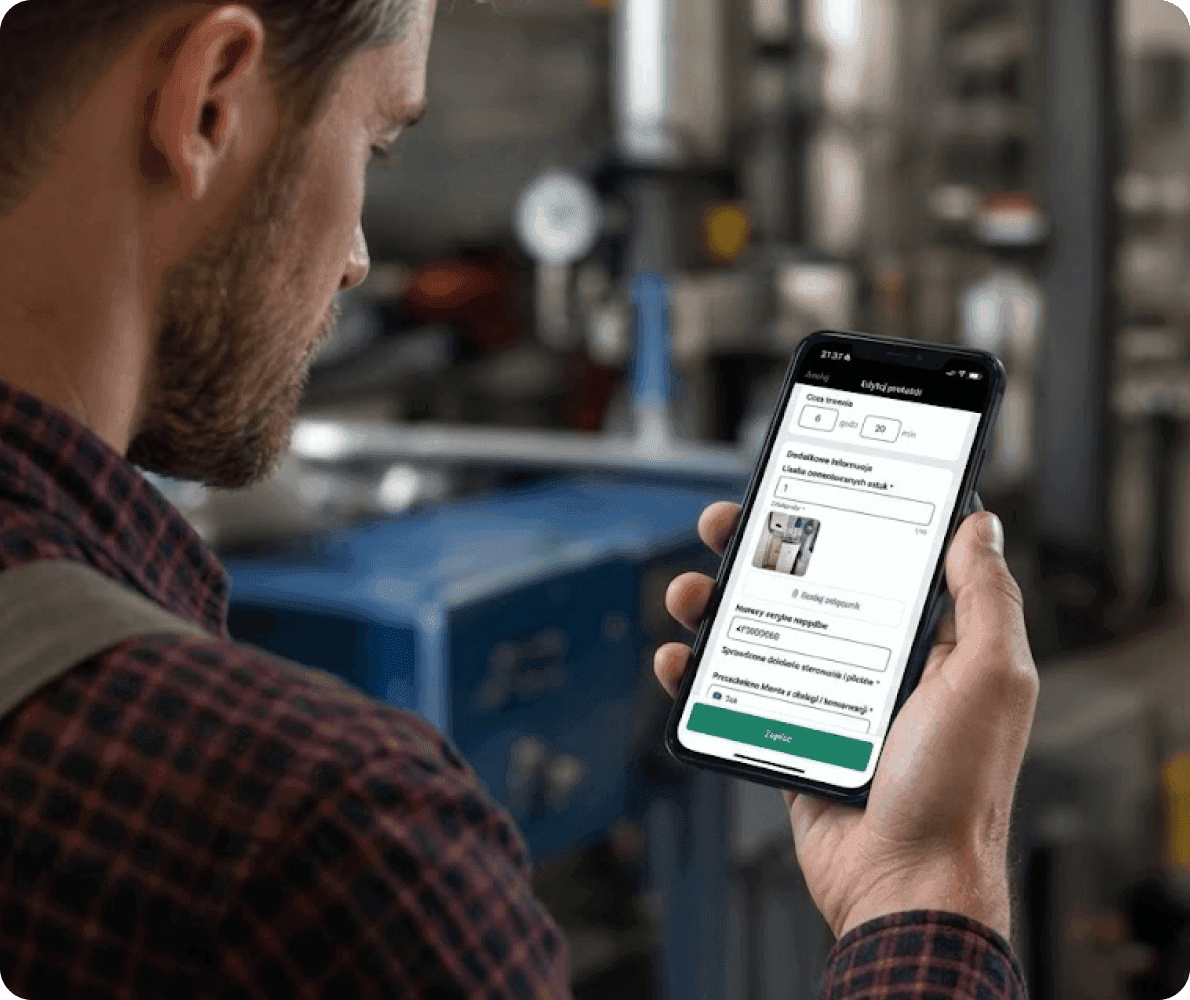
ServiceKoala is software for service and installation businesses with digital (electronic) service reports and job completion reports. The company creates its own report types with fields, clauses and a list of services, and technicians fill them in in the mobile app for Android and iPhone, even with no signal. A report opened from a job already has the customer, the address, the task list, the working time and the parts used. Photos and videos can be added to the report. The customer signs with a finger on the screen or remotely from a link, and the technician signs with their saved signature. The report goes to the customer by email as a link, and in the web app you can export it to PDF.
Service report app for installation and service businesses
A service report in ServiceKoala is the document that records a completed job, a maintenance visit or a repair. It is created from the job and reaches the customer with a signature.
Your own report types
Installation handover, maintenance and repair each have their own fields and clauses. The technician fills in only what applies to their work.
Fields for each type of work
Text, number, drop-down list, date or yes/no field, required or optional. Internal fields stay in the company and never reach the customer.
Services and parts used
Show the job's line items with quantities and prices on the report, or hide the amounts from the customer.
Stock and partsPhotos and videos
Add photos and videos to the report straight from the phone.
Voice note with an AI summary
The technician records their notes by voice, and AI turns them into a tidy, formatted summary of the work done and recommendations.
See how it worksCustomer and technician signatures
The customer confirms the handover by signing on the phone screen. The technician's signature is added from the saved signature of the employee or the company.
Remote signature from a link
If the customer is not there at handover, they sign the report from a link in their browser. No account or password needed.
Clauses to accept
The customer confirms the handover without reservations, or agrees to commissioning or to the disposal of old parts. A clause can have its own signature.
Sent by email
The customer gets a link to the report.
Export to PDF
Export any report to PDF.
Required report for a job type
You decide whether a report is required for a given job type.
Offline reports in the mobile app
Reports with signatures and photos are saved with no signal and sent once the connection is back.
Technician appA voice note instead of typing
The technician records a voice note, and AI turns it into clear notes for the report. Repetitions and asides disappear, and what is left is a list of the work done and the recommendations.
- Notes ready a few seconds after recording.
- Recommendations for the next visit listed as separate points.
- You can correct the text before saving.
Right, so, air con in the living room, erm, the filter was clogged, I replaced it. Then I checked the pressure, and yeah, it's within range. Oh, the condensate drain was blocked, I cleared it. Next visit the condenser needs replacing, it's starting to rust. And the customer wants a call before we turn up, so, yeah, that's it.
- Filter replaced, it was clogged
- Refrigerant pressure within range
- Condensate drain cleared
- To do: replace the condenser at the next visit
- Customer asks for a call before arrival
How does a digital service report work?
Job completion report from the job
A report opened from a job already has the customer, the site address, the tasks done and the working time. The technician fills in the fields of the report type, for example the gate motor serial number and the remote control test.
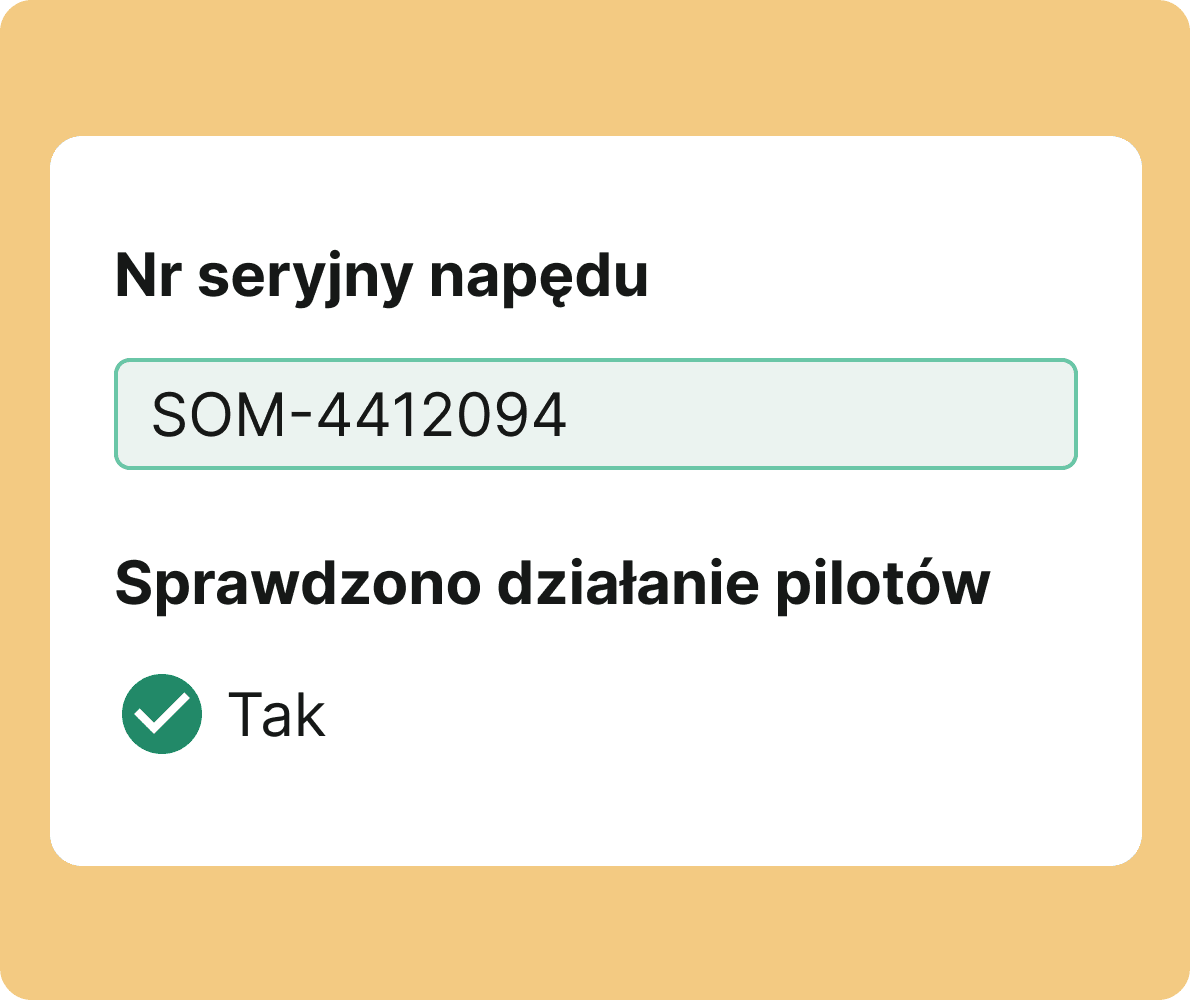
Handover clause with its own signature
You can mark the clause "I accept the work without reservations" as required and give it its own signature. The customer accepts it when signing the report on site.

Job completion report with the customer's signature
The report is signed by the person authorised to accept the work and by the technician. Each signature shows the date and time it was given.
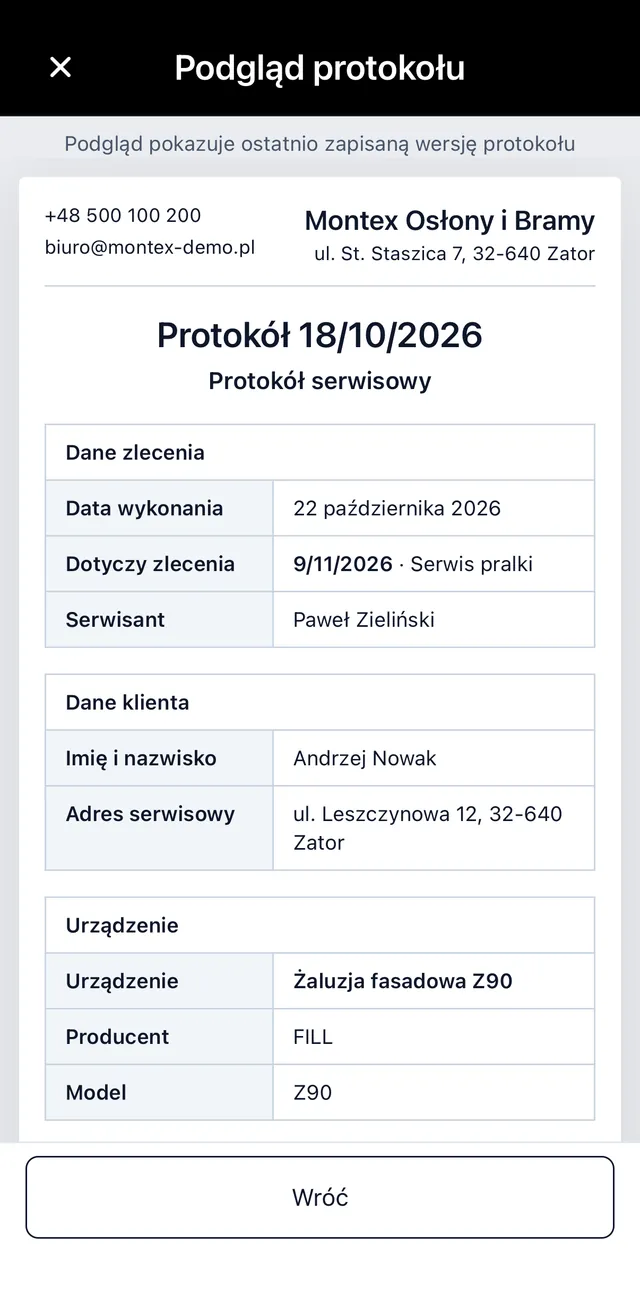
Which digital reports can you create for your trade?
You create each report type in the builder: your own fields, clauses, a list of services and required photos. Examples from the trades ServiceKoala works with:
Digital service report
Reported fault, diagnosis, work carried out, parts replaced, working time and recommendations.
Digital job completion report
Scope of the work done, photos, comments and the customer's signature. For installations and renovations.
Digital air conditioning maintenance report
Units with serial numbers, refrigerant and leak check, readings, recommendations and the next maintenance date.
Digital air conditioning installation report
Model, serial number, where each unit is installed, pipe run length, pressure test and commissioning.
Digital heat pump service report
Filters, expansion vessel, evaporator, anode, operating parameters and the customer's signature. Also for warranty maintenance.
Digital gas boiler service report
Controls, burner, gas installation, the technician's qualifications and recommendations after the service.
Digital solar PV handover report
System size, equipment and manufacturers, readings, test run and confirmation that the user has been shown how it works.
Digital gate installation handover report
Motor model, serial number, remote control and safety device checks. The customer's signature as a condition of the warranty.
Digital alarm system maintenance report
Detectors, sounders, batteries, connection to the monitoring centre and alarm test.
Digital window and door installation report
Order number, the position of each window, comments and anything that needs putting right.
Digital machinery and equipment service report
Manufacturer, model, serial number, meter reading, parts replaced and the next maintenance date.
Digital fire safety inspection report
Fire extinguishers, hydrants, fire doors and emergency lighting with the date of the next inspection.
A digital service report linked to the job
Services, parts and assets on the report are the same data as on the job, so the report, the stock and the billing all show one scope of work.
One list of services for the job and the report
A change to a line item on the report is saved on the job, and a change on the job goes back to the report.
Parts used from stock
With the Stock module, a part added on the report goes onto the job and reduces the stock level.
Stock and partsPrices only where you want them
For each report type you decide whether the customer sees quantities and prices ex VAT and inc VAT, or just the list of parts.
Asset and maintenance plan
With the Assets module, the report goes into the asset's history and can close a scheduled maintenance visit.
Asset managementBilling once the work is done
Once the required report is saved, the job is closed as completed and the mobile app offers to bill it.
Job billingHow do you complete a job report on your phone?
- 01
You set up the report types
You create your own report types with fields, clauses and a list of services.
- 02
The technician opens the report from the job
The customer, address, tasks done and working time are already filled in from the job.
- 03
They fill in the fields and add photos
They enter readings and serial numbers, mark the fault on a photo and add a video.
- 04
The customer accepts the clauses and signs
The customer's and the technician's signatures are saved with the date and time. If the customer is not on site, they sign the report from a link.
- 05
The report goes to the customer
The customer gets an email with a link to the report. If a report is required for the job type, the job is closed as completed.
Digital reports compared with paper and PDF templates
A paper form or a template to fill in works when you have a few handovers a month. With several crews you need a report that is created from the job and reaches the customer straight away.
| Feature | ServiceKoala | Paper report | PDF or Word template |
|---|---|---|---|
| Customer signature on site | after printing | ||
| Remote signature when the customer is not there | — | scan or a separate tool | |
| Your own fields for each type of work | a separate form | editing the file | |
| Customer details and scope of work from the job | — | — | |
| Photos and videos in the report | — | pasted in by hand | |
| Services and parts linked to the job and stock | — | — | |
| Report history for each customer and site | ring binder | folder on a drive | |
| Printing | PDF to print |
You will find more comparisons on the Why ServiceKoala page, and prices on the pricing page.
What do paper job completion reports cost you?
The report gets back to the office days later
The form sits in the van, and the invoice waits for a scan of the signed document.
In ServiceKoala: the report is in the system the moment it is signed, so the office can bill the job straight away.
A job closed without a report
The work is finished, but no handover document was ever created.
In ServiceKoala: for the job types you choose, a job can only be closed once a report has been saved.
Disputes about the scope of work and parts used
A handwritten description does not show exactly what was replaced and in what quantity.
In ServiceKoala: the report has the list of services and parts from the job, photos with the fault marked and the customer's signature with the date.
Maintenance history in a ring binder
Before the next visit, the technician has to dig out what was done for the customer last time.
In ServiceKoala: reports are kept with the customer and the site, and with the Assets module also with the specific asset.
Service and job completion reports in your industry
Each trade has its own report type with the fields it uses every day. You set up the type once, and the whole team fills in the same document.
Air conditioning and HVAC
Digital air conditioning installation and maintenance reports: leak tightness, pressure, filters and the next maintenance date.
See the industrySolar PV and renewables
Handover of a PV installation with photos of the panels and the inverter and the customer's signature.
See the industryWindows, doors and gates
Gate installation handover with the motor number, remote control check and a clause accepting the work without reservations.
See the industryMachinery and equipment service
Machine service report with the serial number, meter reading and parts replaced, saved in the asset's history.
See the industryElectrical contractors
Installation inspection report with your own fields for test results and photos of the distribution board.
See the industryFacility management
Maintenance reports for many sites, with the history kept at each address.
See the industryFrequently asked questions about digital service reports.
The basics
What is a digital service report?
A digital service report, also called an electronic service report, is a document that confirms a maintenance visit, repair or installation, filled in and signed in an app. In ServiceKoala the report is created from the job and contains the fields set up by the company, photos, a list of services and the customer's signature. The customer receives it by email as a link, and the company keeps it in the customer's history.
How is a job completion report different from a service report?
A job completion report confirms that an installation is finished and that the customer has accepted the work. A service report records maintenance, servicing or a repair, often with readings and recommendations. In ServiceKoala they are separate report types, each with its own fields and clauses.
What should a service report include?
The company and customer details, the site address, the date, a description of the work done, parts and materials used, recommendations and the signatures of the customer and the technician. In ServiceKoala the customer details, address, tasks and working time come from the job, and you set up the other fields in the report type. Every report gets a number automatically.
Can I create my own report template for my trade?
Yes. You create a report type for your trade in the builder, for example air conditioning maintenance, a solar PV handover or alarm system maintenance. You add text, number, drop-down, date and yes/no fields, and you can require a photo or a file under any field.
Signature and customer
Who signs the report, and how?
The report is signed by the customer or the person authorised to accept the work, and by the technician. The customer signs with a finger on the phone screen, and the technician's signature is added from the saved signature of the employee or the company. The date and time are saved with every signature.
What if the customer is not on site when the work is handed over?
You send them the report by email, and the customer signs it from a link in their browser, without creating an account. Clauses can only be accepted when the customer signs on site.
What is recorded when a digital report is signed?
The report stores the customer's handwritten signature made on the screen, together with the date and time of signing. ServiceKoala also keeps a change history for the report, in which changes made after signing are marked. You can download the signed report as a PDF.
Does the customer see prices and every field on the report?
You decide. Any field and any clause can be hidden from the customer, and for the list of services and parts you choose whether to show quantities and prices ex VAT and inc VAT. Someone without access to prices downloads a PDF without amounts.
Working on site
Does the report work without internet?
Yes. In the mobile app, reports with signatures and photos are saved with no signal and sent automatically once the connection is back. The customer can sign the report on site while offline too.
Can several employees fill in one report?
Yes. Employees can add to a report started by a colleague, for example when a crew works together. Every change goes into the report's history, and changes made after the customer has signed are marked.
Can I require a report before a job is closed?
Yes. You set a report as required for a job type. Such a job is only closed as completed once the report has been saved.
Documents and getting started
Can I download a report as a PDF?
Yes, in the web app. You choose an electronic version with clickable links to videos and files, or a print version, with or without photos. The customer receives the report as a link in an email.
Does the report replace the invoice?
No. The report confirms that the work was done and accepted. For invoices, we offer an integration with the invoicing and accounting tools your business already uses, provided the tool makes it possible (has an API). Services and parts on the report are the same line items as on the job, so the invoice and the report are based on the same scope of work.
Where can I find a customer's report history?
Reports are kept with the customer and their site, and in the list of reports with search and a status filter. With the Assets module, the report also goes into the history of the specific asset.
What about the reports I keep in ring binders or another program?
When you get started, we move your customers over from a notebook, Excel or another program, together with jobs and report history. From day one, new reports are created in ServiceKoala alongside the customer's existing history.
See ServiceKoala with examples from your industry.
30 minutes online. We will show you how ServiceKoala runs the job process in a business like yours and answer your questions.
14-day free trial · no card required