All jobs on one map
See every job in your business on the map, along with each employee's route for the day. Unscheduled jobs show their distance from the route, and the technician starts navigation from the mobile app.
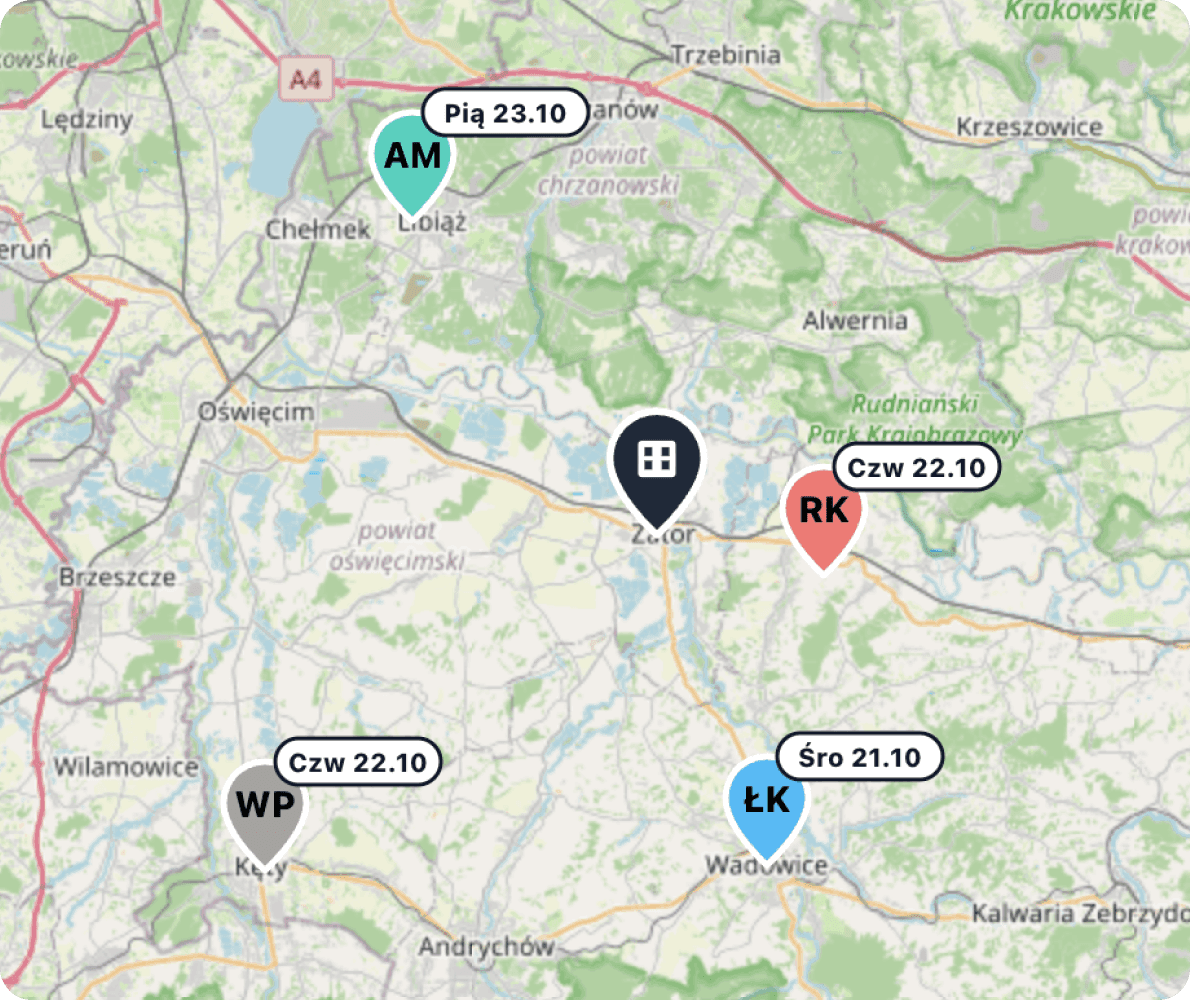
ServiceKoala is software for service and installation businesses with a job map. The map shows jobs for the chosen day, week or month, the company base and the approximate distance to each address. In the day view you see each employee's route: the order of stops by time and the kilometres between them. Unscheduled jobs are linked to the nearest route, and the planner suggests which day in the coming week to add them to a team's route. Separate maps show the company's customers and installed assets with their maintenance dates. In the mobile app, employees see their jobs on the map and start navigation in Google Maps, Apple Maps or Waze.
Job map features for service businesses
The ServiceKoala job map uses the same jobs as the calendar. You see who is working where, and in what order.
Jobs for a day, week or month
You choose the period, and the map shows every visit scheduled in that range.
A route for each employee
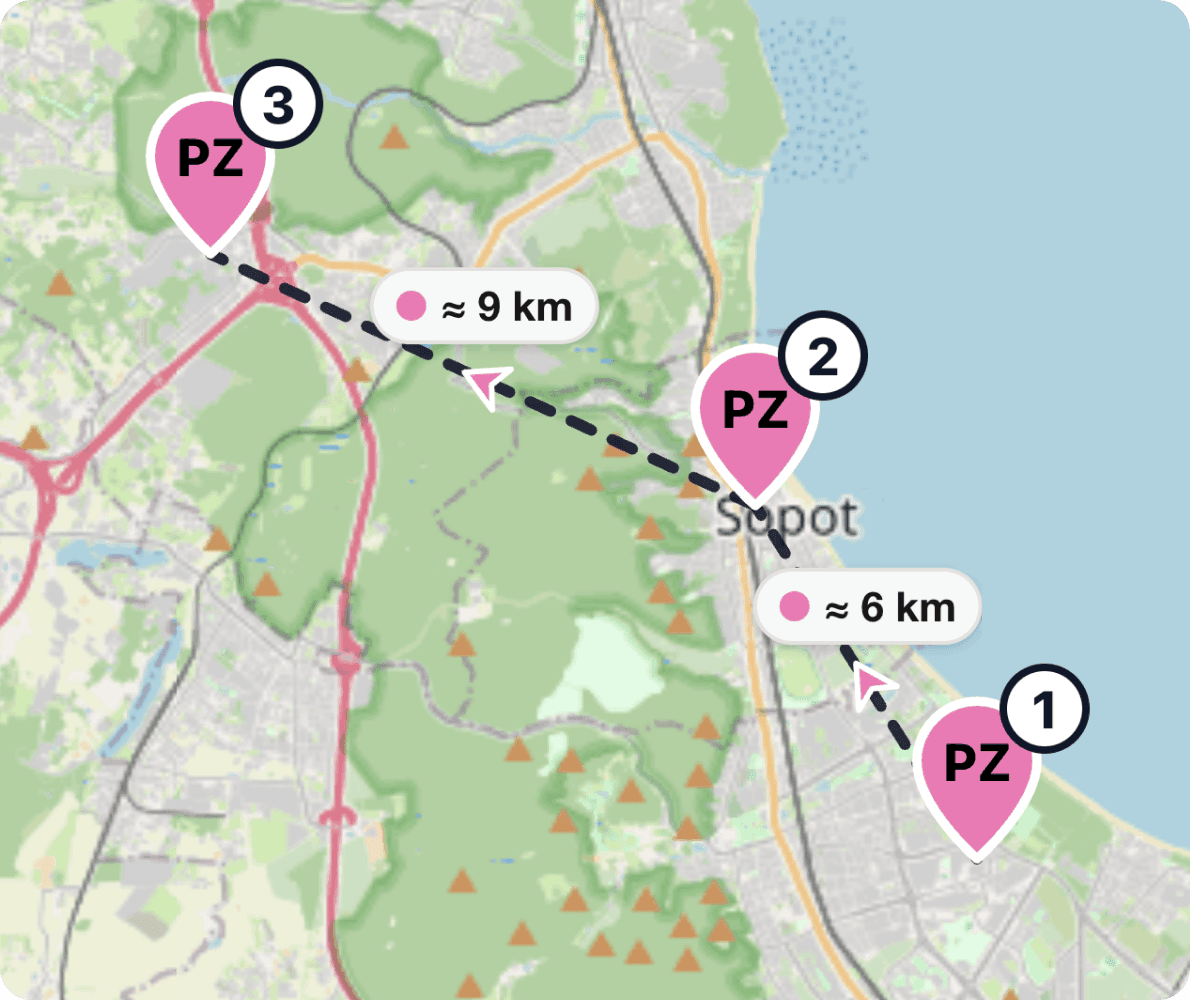
In the day view, stops are numbered by time and joined by a line showing the kilometres.
See who is heading to which area
Each employee has their own colour on the map and their initials on the pins of their jobs.
Filter by employees and teams
You narrow the map down to chosen people, teams or calendar columns.
Distance from the base
Each job shows the approximate number of kilometres from your company base.
Unscheduled jobs on the map
Jobs without a date are shown next to the routes, with the distance to the nearest stop.
Unscheduled jobsPlanner for jobs on the way
Suggests which day in the coming week to add a job to a team's route.
Progress along the route
You can see which jobs are completed, which are in progress and since what time the employee has been at the customer's.
Site map
All customer sites on the map, filtered by category and by services carried out.
Customer databaseAsset map
Assets at customer sites with their next maintenance date, ready for planning a trip to one area.
Asset managementNavigation from the mobile app
The employee opens the route to the job in Google Maps, Apple Maps or Waze.
Technician appRoute planning for technicians on the job map
Employee routes for every day
In the day view each employee has their own route: their jobs in order of time and the kilometres between them. Next to the map is a list of stops with times for each person.
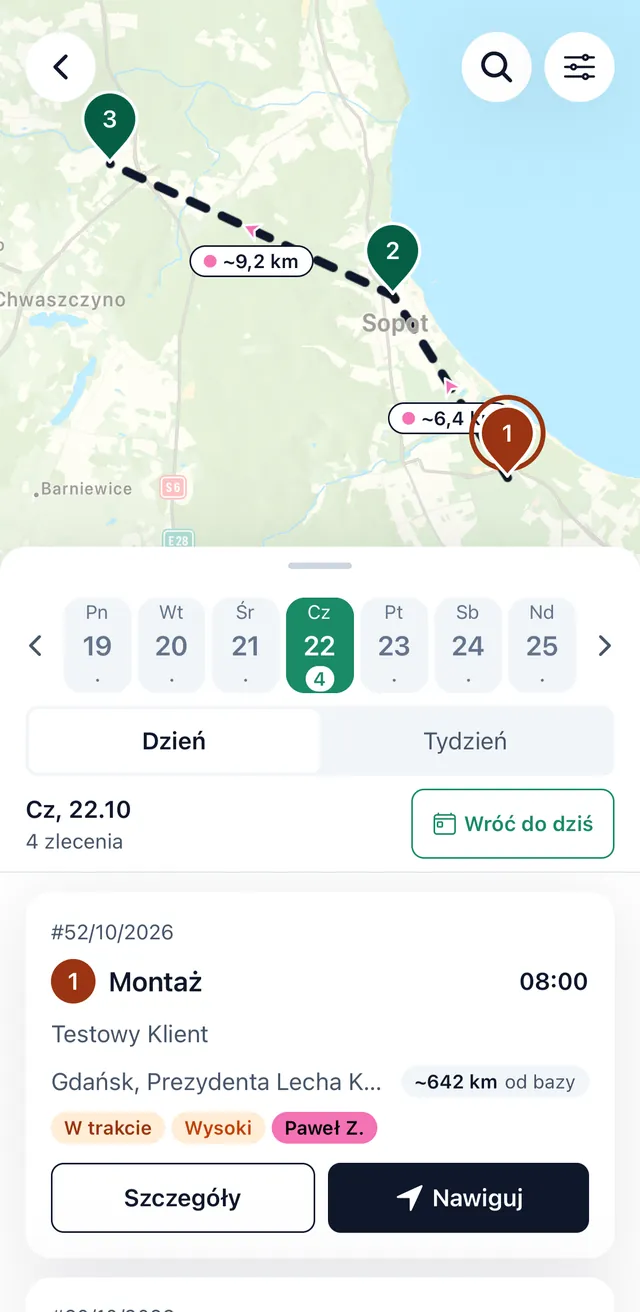
Route and navigation in the mobile app
The employee sees their jobs on the map, in order and with distances. They open navigation to the customer, or the whole route for the day, in Google Maps, Apple Maps or Waze.
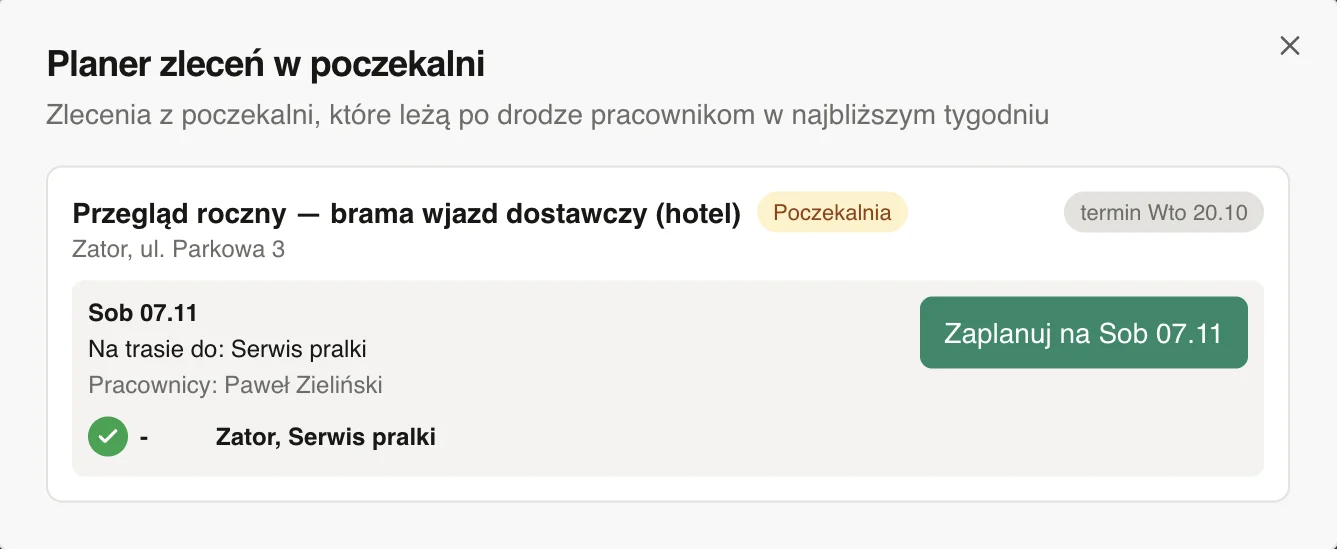
Unscheduled jobs to do on the way
The planner shows unscheduled jobs, still without a date, that a team can do on a route already planned. Your schedule is used better, and one trip covers more visits.
Map of sites and installed assets
Site map
All customer sites on one map. You filter by customer category, by a service that was or was not carried out, and by whether the customer has jobs.
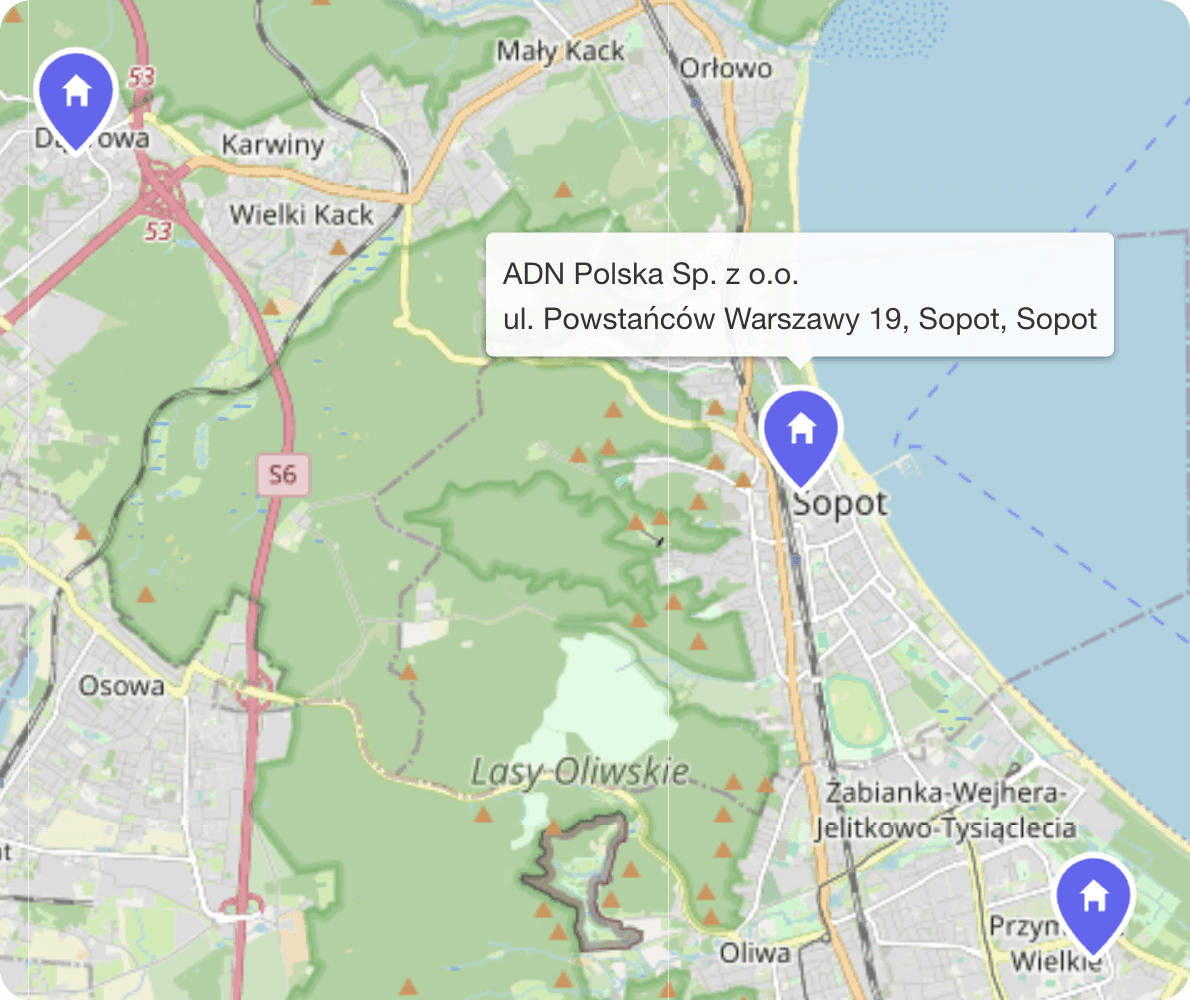
Asset map
Assets at customer sites with their next maintenance date. Filters show maintenance due within 30 days and assets out of warranty. Read more about asset management and recurring jobs.
Job map vs Google Maps and Excel
Google Maps is great at getting you to one address and gives an exact travel time. To plan the work of several teams, you need a map where each pin is a job with a date, a status and an employee.
| Feature | ServiceKoala | Google Maps | Excel |
|---|---|---|---|
| Pin as a job with customer, date, status and employee | — | — | |
| Map updates together with the job calendar | — | — | |
| Each employee's route for the day with the order of visits | by hand, one route at a time | — | |
| Distance between jobs | approximate, in km | exact, with travel time | — |
| Unscheduled jobs with their distance from a team's route | — | — | |
| Suggested day for a job on the way | — | — | |
| Filter by employees, teams and period | — | by hand in a spreadsheet | |
| Map of sites and assets with maintenance dates | pins added by hand | — | |
| Navigation to the address | via Google Maps, Apple Maps or Waze | — |
For a full comparison with spreadsheets, see Why ServiceKoala. Prices are on the pricing page.
What do you lose by planning routes from a list of addresses?
Two teams in the same area on the same day
A list of addresses in a spreadsheet does not show that two jobs are a few kilometres apart.
In ServiceKoala: The day map shows every employee's route, so overlapping areas are obvious straight away.
Small jobs wait for weeks
A maintenance visit or a warranty call without a date drops out of the plan, because nobody remembers when a team will be nearby.
In ServiceKoala: Unscheduled jobs are on the map with their distance from the routes, and the planner suggests a day in the coming week.
Mistakes in the customer's address
An address copied from a message into the sat nav is easy to get wrong.
In ServiceKoala: The employee starts navigation from the job card in the mobile app, to the point saved in the job.
Nobody knows how far an employee drives in a day
A route planned from memory does not show whether the order of visits makes sense.
In ServiceKoala: The day route shows the order of visits and the approximate kilometres for each leg.
Which businesses is the job map for?
For service and installation businesses that send technicians and installers out to customers in many towns every day.
HVAC and air conditioning
Seasonal maintenance spread across the region, added to the routes of installation teams.
See the industrySolar PV and renewables
Installations outside town: distance from the base and the installation team's route for the day on one map.
See the industryPools and spas
Pool servicing at many locations combined into one trip.
See the industryMachine and equipment service
An asset map with maintenance dates and technician routes in one system.
See the industryWindows, doors and gates
Surveys, installations and warranty calls in one area planned for the same day.
See the industryPlumbing and heating
Breakdowns and maintenance added to the route of a team that is already nearby.
See the industryFrequently asked questions about the ServiceKoala job map.
Map and routes
What is a service job map?
A service job map is a view in which scheduled visits to customers are pins on a map, assigned to employees and teams. In ServiceKoala the map uses the same jobs as the calendar and shows each employee's route for the day and the approximate distance from the company base. Next to the scheduled visits you see unscheduled jobs waiting for a date.
What does an employee's route look like on the map?
In the day view, the employee's stops are numbered by time and joined by a line showing the kilometres for each leg. Next to the map, each employee has a card with a list of visits and times. Completed jobs are marked, and a job in progress shows the time the work started.
Can I filter the map by employees, teams and date?
Yes. You choose a day, week or month, then all jobs, a specific calendar column, chosen employees or teams. Cancelled jobs do not appear on the map.
How is distance worked out on the map?
The distance is approximate: a straight line between the points multiplied by a road factor of 1.3. It is enough to compare which job is closer to a route. The exact travel time and route come from navigation in Google Maps, Apple Maps or Waze.
Planning trips
How do I add an unscheduled job to a team's route?
Jobs without a date are linked on the map to the nearest stop on a route, with the distance in kilometres. The planner looks at the routes for the next 7 days and suggests a day and a team for whom the detour is no more than 15 km. You save the job in the form by setting the time.
Does ServiceKoala optimise routes automatically?
It does not arrange the order of visits for you. The order on a route comes from the times in the calendar, and the planner suggests which day to add a job that lies on the way. The dispatcher stays in control of the times, which often shift in service work.
What if the customer's address does not land in the right place on the map?
An address from the search places the pin automatically, and you move an inaccurate point by hand, for example to the entrance gate. If the search cannot find the address, you mark the point by clicking on the map. In the mobile app, jobs without a point on the map are grouped separately below the list.
Do I have to enter all my customers' addresses myself?
No. During onboarding we move your customers from a notebook, Excel or another program, along with jobs and the history of service reports. We turn the addresses of the imported customers into points on the map.
Mobile app
Does the job map work in the mobile app?
Yes. Employees see their jobs on the map in the day view, the week view or the next few days, in order and with distances. Owners and managers with access to the whole calendar see every employee's jobs and can filter them.
How does a technician start navigation to a job?
From the job card on the map, they open the route in Google Maps, Apple Maps or Waze. They open the whole route for the day, up to 9 stops, in Google Maps. They can call the customer from the same card.
Does the app track employees' location?
No. Location in the mobile app is used only to show the distance from the employee to the job, and it stays on the phone. The map in the office shows the job status and the time work started, which the employee records in the app.
Customers and assets
Can I see all my customers on the map?
Yes. In the web app, the customer database has a separate map of all addresses. You filter it by customer category, by a service that was or was not carried out, and by whether the customer has jobs. This helps you plan, for example, a series of maintenance visits in one area.
Can I see installed assets on the map?
Yes, with the Assets module turned on. The asset map in the web app shows assets at customer sites with their next maintenance date. Filters for assets with maintenance due within 30 days and assets out of warranty help you plan trips to one area.
See ServiceKoala with examples from your industry.
30 minutes online. We will show you how ServiceKoala runs the job process in a business like yours and answer your questions.
14-day free trial · no card required