Revenue, jobs and working time in reports
Revenue, completed jobs, working time and pay in one place, calculated as your team works, with no copying data into a spreadsheet.
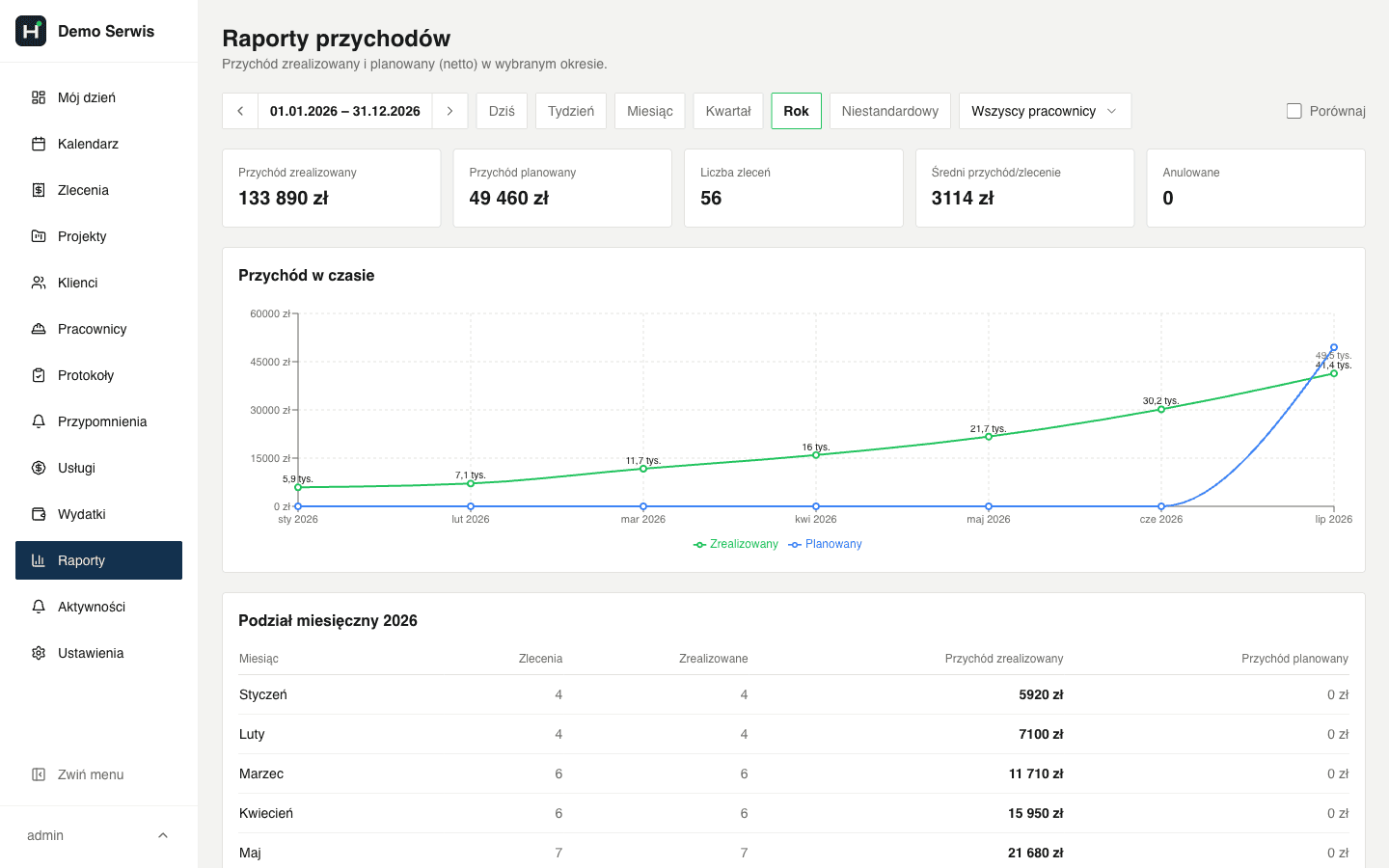
ServiceKoala is software for service and installation businesses with built-in reports: completed jobs, revenue, costs, project profit, working time and pay, and payments due. Reports are calculated as you go from the data your team enters in the app while they work. You can narrow any report to a chosen period, and the completed jobs report also to a customer or an employee. Reports export to Excel. On request, we also provide reports based on criteria chosen by the customer.
Reports in your field service software
Completed jobs report
Who worked for which customer, for how many hours and for what amount. Jobs and their service reports in one overview.
Revenue report
Realised and planned revenue, ex VAT and inc VAT, compared with the previous period. You can also see which services earn the most.
Costs report
Business costs by category, and fixed and variable costs, with purchase invoices in one place.
Project profit
Revenue, costs and net profit of a multi-stage project, so you know whether the project paid off.
Multi-stage projectsWorking time and pay report
Hours, overtime and leave for each employee, and pay with the supplements you set for weekends, bank holidays and night work, minus any advances.
Time trackingPayments due and received
How much customers have already paid, how much is still due and which payments are overdue.
Job billingMissing a report? We will build it for you
Every service business measures something its own way: crew profitability, jobs by asset type, settling up with subcontractors or seasonal demand. Tell us which overview you need, and we will give you a way to generate reports on the criteria you choose, from the data you already have in ServiceKoala.
Which questions do service business reports answer?
How much did we earn this month, and how much is still to come in?
The revenue report shows realised and planned revenue and the change compared with last month.
How many jobs and how many hours did each employee do?
In the completed jobs report you choose an employee and see their jobs, hours and value ex VAT.
How much time did we spend on a given customer?
The customer filter in the completed jobs report adds up the hours and amounts of all their jobs in the period.
Which services bring in the most revenue?
A list of the ten best services with their percentage share of revenue.
Did the project pay off?
In a multi-stage project you see the revenue, the costs assigned to it and the net profit.
Who is late paying?
Billing shows the amounts still due and the number of days overdue for each job.
Reports in Excel, set up the way you need
Choose the period (a day, week, month, quarter, year or your own date range) and narrow the report to a specific customer or employee. Export the finished overview to Excel.
Frequently asked questions about reports in ServiceKoala.
Which reports does ServiceKoala have?
ServiceKoala has reports for completed jobs, revenue, costs, project profit, working time and pay, and payments due and received. They all use the data your team enters in the app while they work.
Can reports be exported to Excel?
Yes. You export reports to Excel with one click, with totals and amounts, ready to hand to your accountant or business partner.
How can I check how productive my technicians are?
Narrow the completed jobs report or the revenue report to one employee and a period. You will see the number of their jobs, the hours worked and the value of the work done.
Do reports show amounts ex VAT and inc VAT?
Reports show amounts ex VAT, and the revenue report also inc VAT, calculated from the VAT rates of each line item on the job.
Can you build a report the software does not have yet?
Yes. Describe the overview you need, and we will give you a way to generate reports on the criteria you choose, from the data you already enter in ServiceKoala.
Who in the business can see financial reports?
The business owner sees financial reports. You can show them to or hide them from a manager, and an employee only sees their own working time.
See ServiceKoala with examples from your industry.
30 minutes online. We will show you how ServiceKoala runs the job process in a business like yours and answer your questions.
14-day free trial · no card required