Asset records and maintenance history
An asset card with the model, service history and maintenance due dates. Your technician arrives prepared.
Asset management in ServiceKoala is a register of the equipment installed at your customers’ sites, such as air conditioners, heat pumps, gates and boilers, kept per customer and per site address. The asset card holds the model, serial number, year of manufacture, your own category, attachments and the full service history: who came, when and what they did. Maintenance plans track the due dates themselves and warranty expiry comes back as a reminder, so nobody has to keep those dates in their head or in a spreadsheet. The status of every maintenance plan (overdue, due soon or up to date) is visible at a glance, and once a maintenance visit is marked as done the date moves to the next cycle. You can stick a QR code on the asset: scanning it with a phone opens its card straight away in the field. A new job is created right from the card, without searching through the customer database.
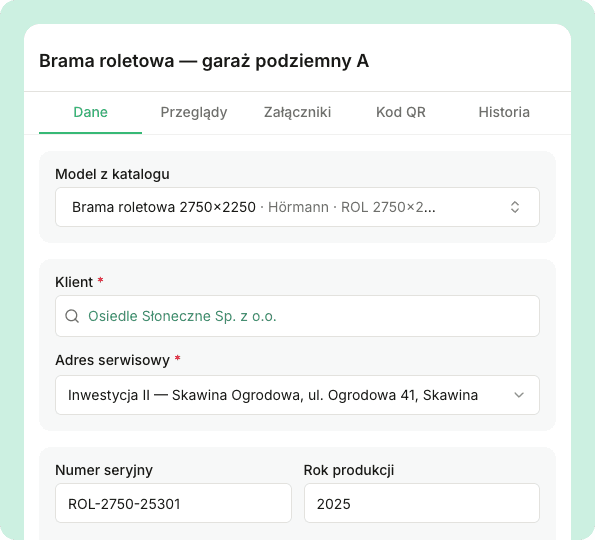
The asset card: everything about the equipment in one place
Model, serial number, year of manufacture and installation location, linked to the customer and a specific site address. You add your own categories and attachments to the card, such as manuals, diagrams and documentation, so all the data is in one place.
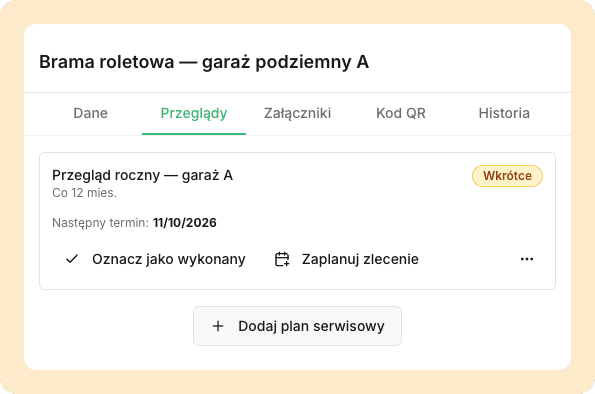
Never miss a maintenance visit
Add maintenance plans with an interval to the asset. When a maintenance visit is marked as done, the date moves to the next cycle.
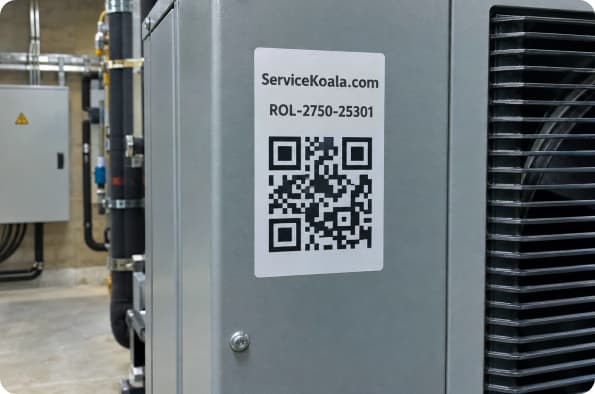
A QR sticker on the asset
Generate a sheet of QR stickers straight from the app and print it yourself, with no ordering and no waiting. The technician sticks the code on the asset and scans it with the phone to open the equipment card with its history, and anyone who scans the sticker next to the unit sees a card with the asset name and your company’s phone number.
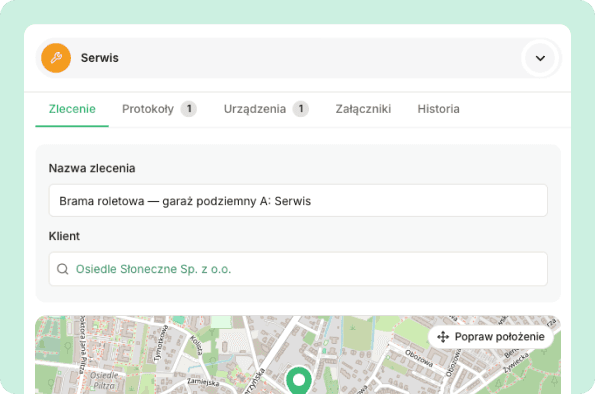
From the asset card straight to a job
One button creates a job in the calendar with the customer, site address and maintenance date already filled in, and a task with the asset and maintenance name is added to the task list.
What exactly you get.
Every asset is linked to a customer and a specific installation address, so things stay organised even with many sites.
Manufacturer, model, serial number, year of manufacture and installation location on one card.
Group assets into your own categories that match what you service.
Recurring maintenance with an overdue, due soon or up to date status; the date moves on once the visit is done.
Warranty expiry and maintenance due dates are sent as email reminders 30 and 7 days before the date.
Manuals, diagrams and documentation for the asset kept together with its details.
Print the stickers yourself from the app; a scan opens the asset card for the technician and a contact card with your phone number for the customer.
Explore other features
Service request form
A public page and a widget for your website collect customer requests 24/7. Each request goes straight into the unscheduled jobs list.
See the feature02Service reports
Digital service and completion reports with custom fields, photos and the customer’s signature. The customer receives a link by email.
See the feature03Customer database
Customers with multiple sites, contact people and their full job history in one record.
See the featureSee ServiceKoala with examples from your industry.
30 minutes online. We will show you how ServiceKoala runs the job process in a business like yours and answer your questions.
14-day free trial · no card required